Plugin for Resolume 7

Living edges
on your mapping.

VJLAB Borda draws animated outlines on your Resolume slices: neon, fire, lightning, ice, aurora and particles running along the edges of your LED walls, stage and LED strips. Live, locked to the music.

One-time payment · lifetime license

After EffectsRenderStock loops
Try it now

Pick an effect and watch the stage light up

This is not a video: it is the plugin's own engine, with the same 64 effects and the same names as the panel. Tap a screen on the stage to change only that one.

👆 Tap a screen to change only that one
Changing: All screens
Effect Neon
Motion
Position
Colors
Settings
Pulse

In the plugin: up to 64 shapes per clip, smooth transitions between effects, favorites, autopilot and phone control.

The problem

Rendered outlines can't keep up with your stage

An outline made in After Effects fits one stage, one color, one tempo. New screen, new song: render again. VJLAB Borda draws live, on top of your own mapping shapes.

Before

  • Outlines drawn by hand and rendered for every screen
  • Stage changed? Render again
  • The same loop all night long
  • Glow out of time with the music

With VJLAB Borda

  • Draws on your own mapping shapes, right inside Resolume
  • Stage changed? Drag the points and you're done
  • 64 effects with smooth transitions between them
  • Pulse on Resolume's BPM or on your tap
From mapping to outline

Your screens become outlines in seconds

The effect follows the shape of each slice, including odd polygons and tilted screens. Speed stays the same along the whole outline, corners included.

Step 1

Bring in your slices

Drop your Advanced Output .xml preset into the panel: each slice becomes a shape, right where it belongs.

Step 2

Or draw them

Rectangle, polygon, ellipse and line for LED strips, on top of a screenshot of your stage. Drag the points to fine-tune.

Step 3

Pick the effect

One effect for every screen or one for each. Inside the slice, with no spill, or outside it, with inset and clipping.

Real screenshot

Inside Resolume, for real

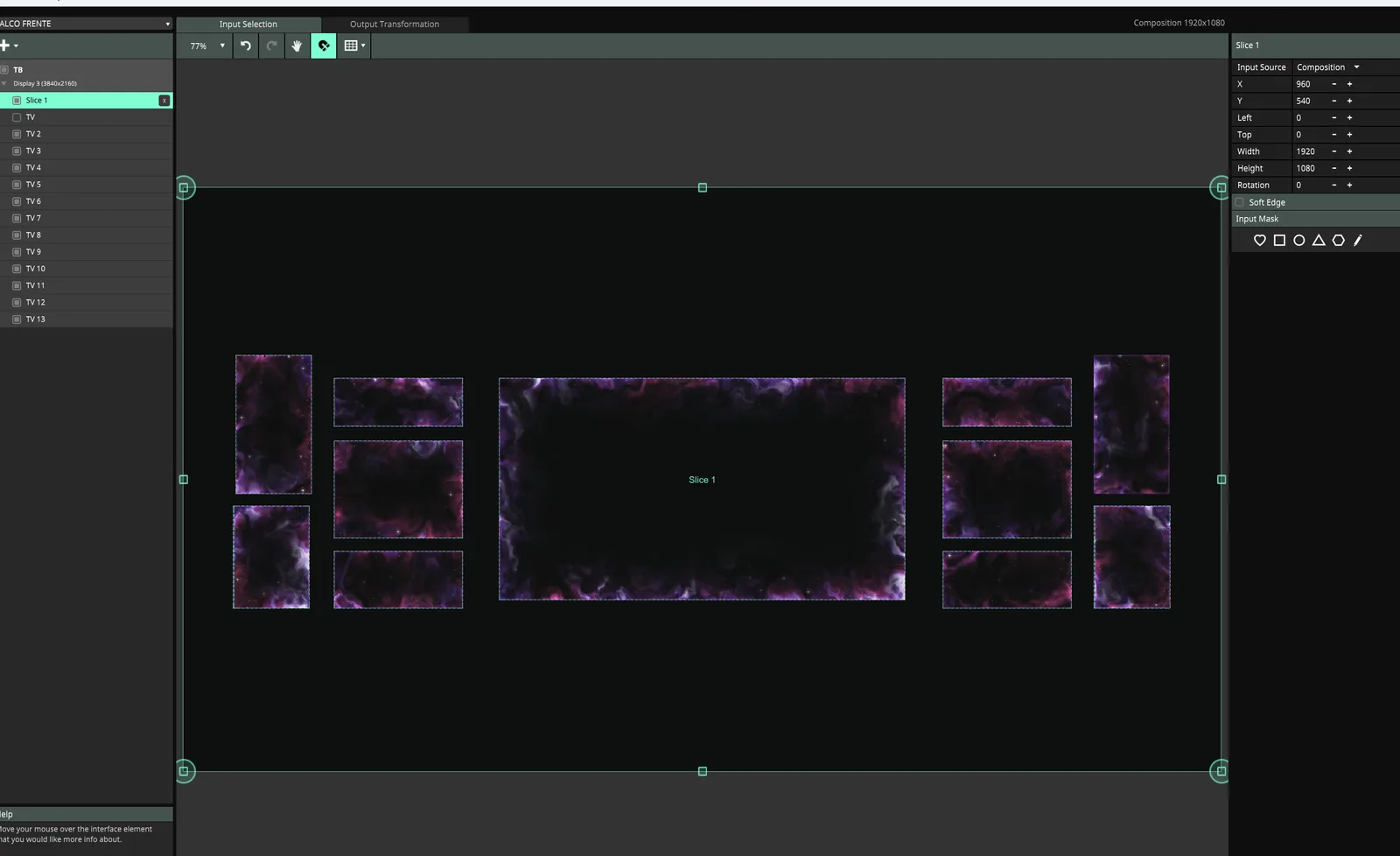
Screenshot of the Advanced Output with VJLAB Borda (Nebula effect) on the 11 screens of a real stage. Below, the same stage with other effects, rendered by the plugin's engine.

Resolume screenshot: Advanced Output with VJLAB Borda on the stage screens
Resolume Arena · Advanced Output · Nebula effect
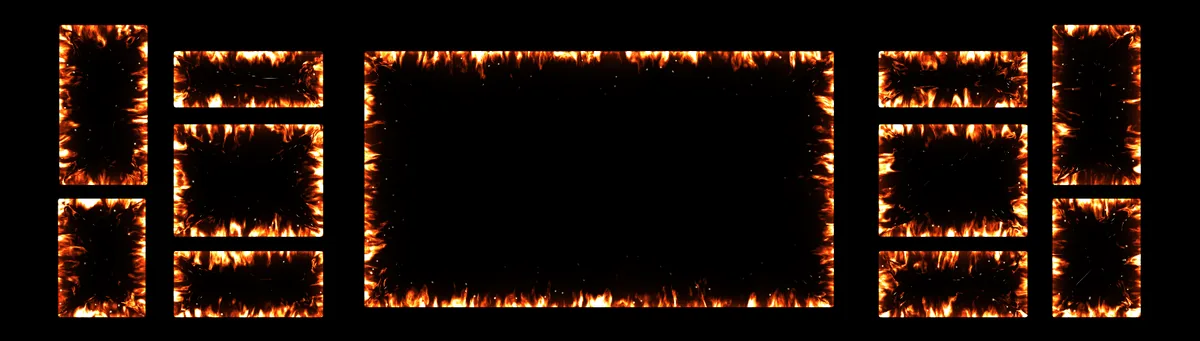
Stage with the Fire effect
Fire
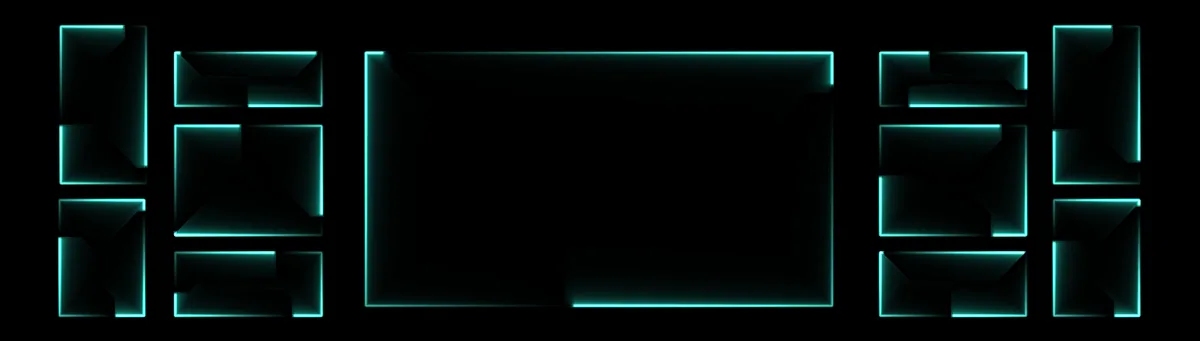
Stage with the Neon effect
Neon
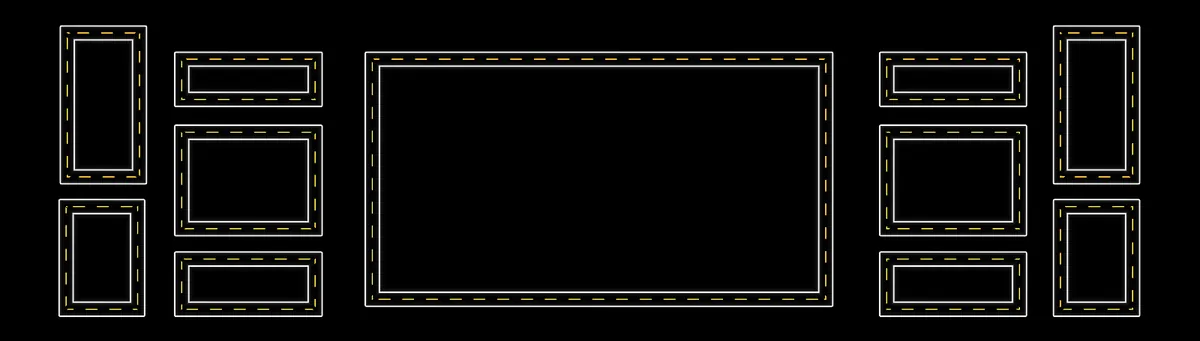
Stage with the Highway effect
Highway (double line)
Stage with the Ivy effect
Ivy
Library

64 effects for the edges of your stage

From clean neon light to fire, lava and flowers, from double lines to fireworks, with real detail. Tap a name to see it on the test stage.

Light

Outline, neon, laser, dashed lines, scanner, beat and inner glow: a light finish for any screen.

Doubles

Two lines that run together, cross or fight over the outline: twin rail, helix, braided cable, art deco, echo and color duel.

Stage

LED strip, dressing-room bulbs, fluorescent tubes, light beams, laser show, rays of glory and prism: the language of stage lighting.

Nature

Fire, lava, smoke, nebula, aurora, water, ice, lightning, ivy, flowers, crystals, drops and embers with real detail, growing into the slice.

Energy

Plasma, waves, sparks and particles racing along the outline.

Tech

Circuit, hologram, glitch, code, HUD, heartbeat, sound wave, fiber optic, binary and pixel sort.

Show

Strobe, marquee, twinkle lights, equalizer, chrome, fireworks, confetti, Christmas, zipper, dominoes and chalk for showtime.

64ready-made effects in 7 families
64shapes per clip
4motions: full, running, grow and breathe
12ready-made color palettes
Built for live shows

What you get

⚡

Pulse on the beat

Glow and size pulse on Resolume's BPM or on your tap. Four taps in time set the tempo and the pulse keeps going on its own.

★

Favorites with transitions

Save the looks you like and move between them with a 0.5, 1.5 or 3 second blend, no hard cuts. MIDI too.

→

Constant speed

Light travels the outline at the same speed from start to finish, corners included. Nothing speeds up or stalls on a turn.

▣

Inside the slice

Fire, smoke and aurora grow into the screen without spilling onto the panel next to it. Or outward, if you prefer.

═

Double line and corners

Any effect can become a double line at the spacing you choose, or show only on the corners of each screen. Thickness goes from a hairline to a wide band.

📱

Phone control

The panel opens on your phone through a QR code on the venue's network. Change effects and fire the pulse from anywhere.

∞

Autopilot

With nobody at the desk, the plugin switches favorites or picks effects every 4, 8 or 16 bars, with transitions.

Where to use it

For every stage with a screen

Worship services

Outlines that breathe with the music and flare on the chorus, right from the projection desk.

Concerts and parties

Fire, lightning and strobe around the LED wall, pulsing on the set's BPM.

LED set design

Outline every piece of the set and bring multi-screen stages and LED strips to life.

Conferences and events

A light finish on the stage screens, subtle during talks and bold at the opening.

VJLAB Borda Take it to your next show

Pay once. It's yours forever.

As soon as your payment is confirmed, your license key arrives by email and the download is waiting in your account at vjlab.com.br. Paste the key into the plugin panel and you're done.

Questions before buying? Email vjlab00@gmail.com.

∞ Lifetime license
US$ 35.00
One-time payment, no subscription.
∞
Pay once, use it foreverThe license is yours for life, on up to 2 computers at the same time.
  • VJLAB Borda plugin for Windows 64-bit
  • 64 effects for your mapping outlines
  • Double line and corners-only mode on any effect
  • Imports your Advanced Output slices
  • BPM pulse, favorites and autopilot
  • Browser panel and phone control
  • Works offline after activation
  • Cleared for worship, events, concerts and commercial work
Buy for US$ 35.00
Windows 64-bit · Resolume 7 · instant download in your account

Check before you buy

If your machine meets these requirements, the plugin runs.

Software

Resolume 7

Arena or Avenue.

System

Windows 64-bit

Windows 10 or 11. macOS version in development.

Graphics card

OpenGL 4.1

Any recent dedicated card. On modest machines, use 75% or 50% internal resolution.

Panel

Web browser

The panel opens in Chrome or Edge on the same computer. Phone is optional.

Runtime

Visual C++ 2015-2022

Download from Microsoft, free. Most PCs already have it.

Installing takes two minutes

Download from your account

Once payment is confirmed, the file is in My account on the VJLAB site.

Copy the plugin

Move VJLABBordaV1.dll to Documents \ Resolume Arena \ Extra Effects. On Avenue, the folder is Resolume Avenue. If it doesn't exist, create it.

Activate

In Resolume, drag VJLAB Borda (under Effects) onto the clip or layer, click Abrir painel and paste your key. Activation needs internet only at that moment.

Bring in your shapes

In the panel, drop the Advanced Output .xml (Documents \ Resolume Arena \ Presets \ Advanced Output) or draw your screens over the stage.

The plugin didn't show up? It's almost always the missing Visual C++ Redistributable: without it, Resolume silently skips the plugin. Download it here, install it and open Resolume again.

Questions

Does it work with my Advanced Output mapping?

Yes. Drop your Advanced Output .xml preset into the panel and every slice becomes a shape, at the composition's position and size. You can also draw shapes by hand over a screenshot of your stage.

Where do I apply the effect in Resolume?

On the clip, the layer or the composition effects. With Fundo set to "Só as bordas" (outlines only), it shows just the outlines, which is great on a layer above everything.

Can each screen have a different effect?

Yes. Choose "Todas as formas" (all shapes) to change everything at once, or "Só a selecionada" (selected only) to change a single screen. Up to 64 shapes per clip.

Does the pulse follow Resolume's BPM?

Yes. In "No BPM" mode, glow and size pulse on every Resolume beat. In "Manual" mode they pulse on your tap; four taps in time set the tempo and the pulse keeps going on its own.

Are my shapes saved?

They're stored in the Resolume clip itself, with the composition. You can also export the project to a file to take it to another computer.

Is it heavy on the computer?

Everything runs on the graphics card. On modest machines, use 75% or 50% internal resolution in the panel.

Can I control it with MIDI?

Yes. Surprise, Pulse, Tap BPM, previous and next favorite, intensity, speed and transition show up as Resolume parameters. Just map them.

Does it work on Mac?

Not yet. Today it's Windows 64-bit only. A macOS version is in development.

Does it work on Resolume 6?

No. Resolume 7 introduced a new plugin standard that requires OpenGL 4.1. Plugins built on it don't load in version 6.

Do I need internet to use it?

Only to activate. After that the plugin works offline and renews the license on its own when there's a connection. For computers that are never online, there's file-based activation through the website.

Does the license expire? How many computers?

It never expires: pay once and use it forever, on 2 computers at the same time. If you change machines, release one in your account and activate on the new one.

Can I use it for paid work?

Yes. It's cleared for worship, events, concerts and commercial work.