Free plugin for Resolume 7

Every countdown deserves a grand finale.

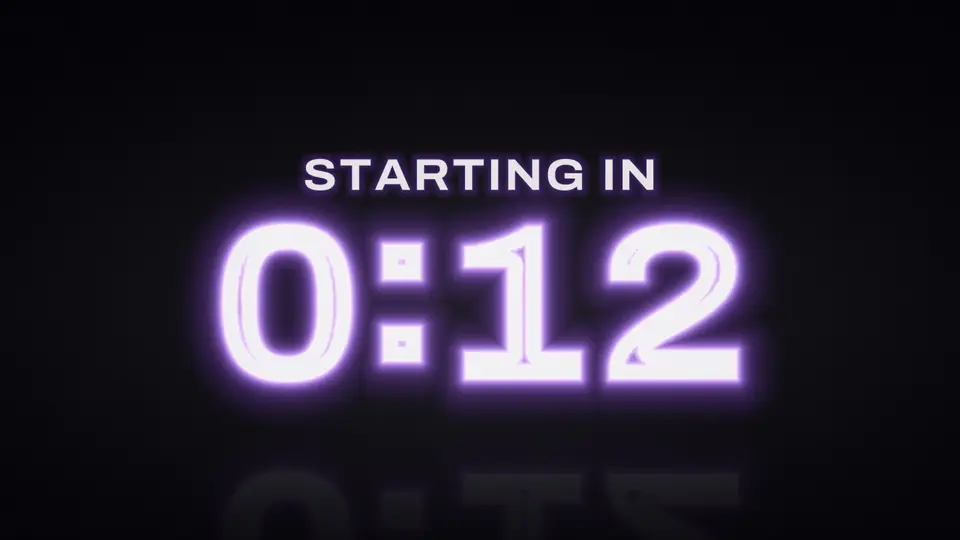
Living numbers that transform every second, tension that builds to the end, and a zero that bursts into your text or logo. Right in Resolume, no pre-rendered video.

LiveFREE

Best of all, it's FREE

No credit cardLifetime licenseWindows 64-bitArena and Avenue
12 scenes

The number doesn't switch. It transforms.

Each scene has its own way of moving from one second to the next: neon flickers, metal flows, particles break apart and reassemble, and flaps flip like an airport display. Each example was recorded directly from the plugin engine. Tap a scene to try it your way.

0living scenes
0ready-made palettes
0counting modes
60to download. That's right.
Try it now

Build your countdown

This isn't a video: it's the plugin running on your screen, with the same scenes, palettes, and names you'll see in Resolume. Enter your text, choose the ending, and skip to the final seconds.

Preparing…
Neon
Time left 0:15counting
Scene
Colors
Text
Duration
At zero
Settings

The plugin has 80 controls: fonts from your computer, up to 3 scheduled messages, a logo at zero, countdown to an exact time, zero on the music beat, transparency, and a full browser panel. This is just a taste.

From start to zero

A countdown that tells a story

Scroll down and follow a 5-minute countdown on the big screen. It jumps straight to the moments that matter live.

Preparing…
Neon · Pink neon
1

Counts at an easy pace

The audience watches time pass at an easy pace. The label stays centered with the numbers, and each second transforms into the next.

2

Announces at the right time

Schedule up to 3 messages to appear automatically, like "Please silence your phones" with 1 minute left. They fade in and out smoothly.

3

Builds the tension at the end

Near the end, the color gets warmer, the glow intensifies, and the screen pulses every second. You choose the intensity and when it starts.

4

The giant 10-second countdown

In the last 10 seconds, the numbers grow and shake, and the edges pulse. This is when the crowd counts along.

5

Zero: your logo takes the stage

A burst of light turns the numbers into your final text, the event logo, or both. Here, they become Countdown's own logo.

Built for live shows

What's included, free

◷

The way your event needs it

Count down by duration or to an exact time on your computer's clock. It also works as a stopwatch and stage clock.

♪

Zero on the beat

In the final seconds, the clock subtly adjusts its pace so zero lands on the music's downbeat in Resolume.

✺

The zero moment

A burst of light, a transformation, or a flash. Then show the final text, a PNG logo, both, overtime counting (+0:12), hold at 0:00, or disappear.

Aa

Fonts from your computer

Choose fonts for the numbers, text, and ending from those installed on Windows. Hover over a name to preview it instantly.

▣

Browser panel

A button in Resolume opens the panel: live scene thumbnails, colors, text, a draggable timeline, and favorites.

◐

Transparent background

Use the scene background, a solid color, or transparency to overlay the countdown on any video or camera feed.

⇔

Any screen format

From 16:9 to ultrawide LED and portrait screens. The numbers shrink automatically when they don't fit.

⌁

MIDI-ready

Iniciar/Pausar, Reiniciar, +1 min, Ensaiar final, and Surpresa become buttons on your controller.

Worship service and show openingsNew Year’s EveLaunchesIntermissionsWeddingsConferencesSpeaker timeGraduations
VJLAB Countdown A gift from VJLAB

It's free. Really.

US$ 0.00today, tomorrow, and forever

No credit card, no trial period, and no catch. Sign up to get a VJLAB account, and the plugin will be in your account with its license key, ready to download.

  • Full VJLAB Countdown plugin, no watermark after activation
  • 12 scenes, 18 palettes, browser panel, and all features
  • Free lifetime license that works offline after activation
  • Cleared for use in worship services, shows, events, and commercial projects
  • Email support
🎁 100% free

Get your Countdown

Takes 20 seconds. Already have a VJLAB account? Use the same email.

No credit card and no cost. We only use your details to deliver the plugin and share VJLAB news.
Already signed up? Download in My account.

Check your setup

Four requirements. Meet all four, and the plugin runs.

Software

Resolume 7

Arena or Avenue. Tested on version 7.21.

System

Windows 64-bit

macOS version in development.

Graphics card

OpenGL 4.1

Any dedicated graphics card from the last decade. Scenes are rendered on the GPU.

Runtime

Visual C++ 2015-2022

Download from Microsoft, free. Most PCs already have it.

From signup to the big screen in minutes

Sign up free

Enter your name, email, and WhatsApp number. Your VJLAB account is created instantly, or we'll use the one you already have.

Download in My account

The plugin and your free license key are available in My account on the VJLAB website.

Copy to Resolume

Unzip and move VJLABCountdownV1.dll to Documents \ Resolume Arena \ Extra Effects. In Avenue, the folder is Resolume Avenue. If it doesn't exist, create it.

Activate and use

In Sources, drag VJLAB Countdown onto a clip, click Open panel and paste the key. Internet is only required for this activation step.

Plugin missing from the list? It's almost always a missing Visual C++ Redistributable: without it, Resolume silently ignores the plugin. Download here, install it, and reopen Resolume.

FAQ

Is it really free?

Yes. VJLAB Countdown is free: no credit card, no trial period, and no subscription later. The license is yours forever.

Why is it free?

It's VJLAB's gift to everyone who follows our work, and a way for you to experience the quality of our plugins in your own Resolume setup.

Is there a watermark?

Not after you activate it with your free key. Without activation, the plugin runs in demo mode with a watermark.

I already have a VJLAB account. Do I need another?

No. Use your account's email, and Countdown will be added to it.

Can I count down to an exact time?

Yes. In Até um horário mode, enter a time such as 19:30, and the plugin calculates the countdown using your computer's clock. Stopwatch and clock modes are also available.

Does it support transparent backgrounds?

Yes. Choose the scene background, a solid color, or transparency to overlay the countdown on videos and camera feeds.

Can I show my event logo at zero?

Yes. Choose a PNG with a transparent background in the panel. The numbers transform into the shape of your logo, with its original colors if you like.

Can I control it via MIDI?

Yes. Iniciar/Pausar, Reiniciar, +1 min, Ensaiar final, and Surpresa appear as parameters in Resolume. Just map them.

Do I need internet to use it?

Only for activation. After that, the plugin works offline and renews its license automatically when connected.

Does it work on Mac or Resolume 6?

Not on Mac yet: the macOS version is in development. It doesn't work in Resolume 6 because version 7's plugin standard requires OpenGL 4.1.

Can I use it for paid work?

Yes. It's cleared for use in worship services, shows, events, and commercial projects.

Your next event starts in 3, 2, 1…

Get my free Countdown